Send Weink Books to Your Kindle: Our New Feature Is Here!
If, like me, your Kindle is basically your emotional support device and you carry it everywhere (seriously, mine is always in my bag), and if you have never been a fan of reading books on your phone, I have very good news: this new Weink feature is for you! ❤️ You can now send eligible Weink books directly to your Kindle!
How to Send a Weink Book to Your Kindle
Sending a book only takes a few steps:
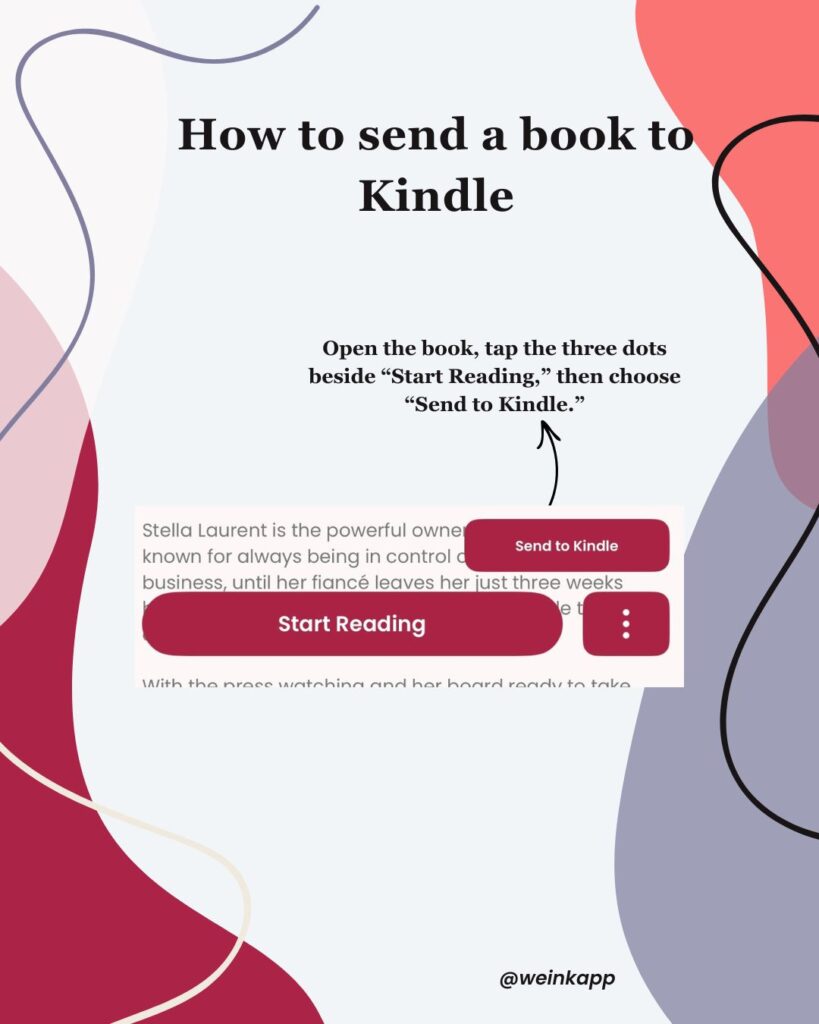
- Open the book you would like to read on Weink.
- Tap the three dots beside the “Start Reading” button.
- Select “Send to Kindle.”
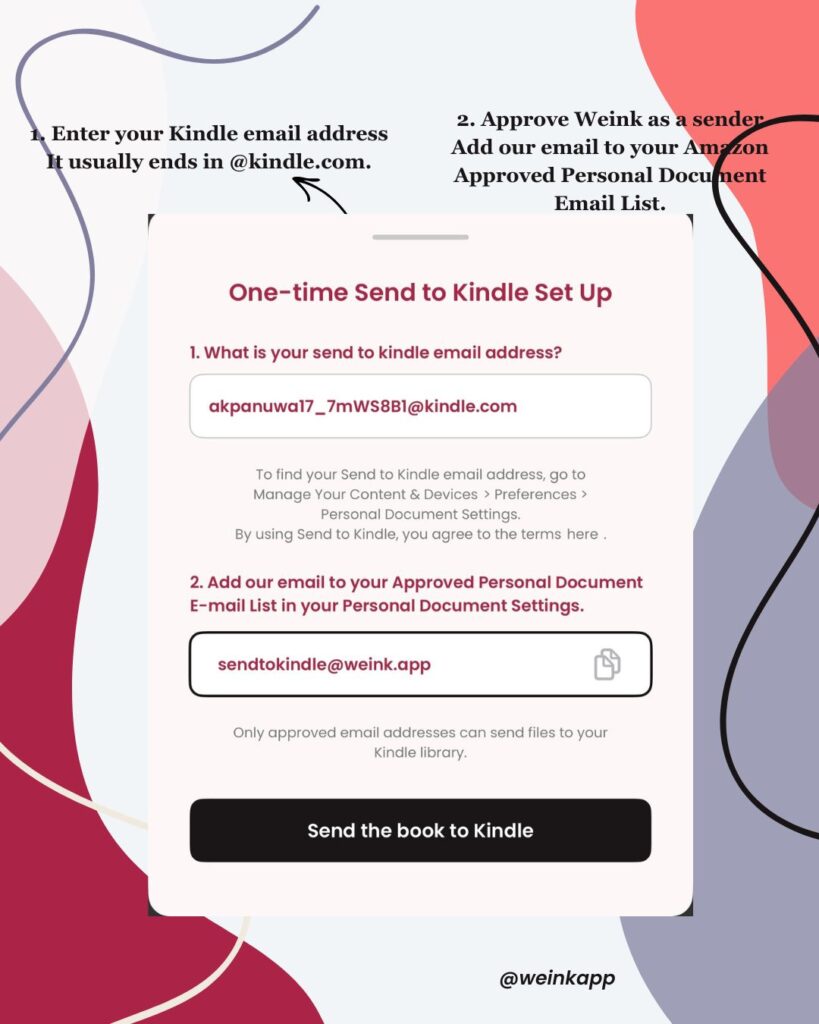
- Complete the one-time setup using your Kindle email address.
- Add sendtokindle@weink.app to your Amazon Approved Personal Document Email List.
- Tap “Send the book to Kindle.”
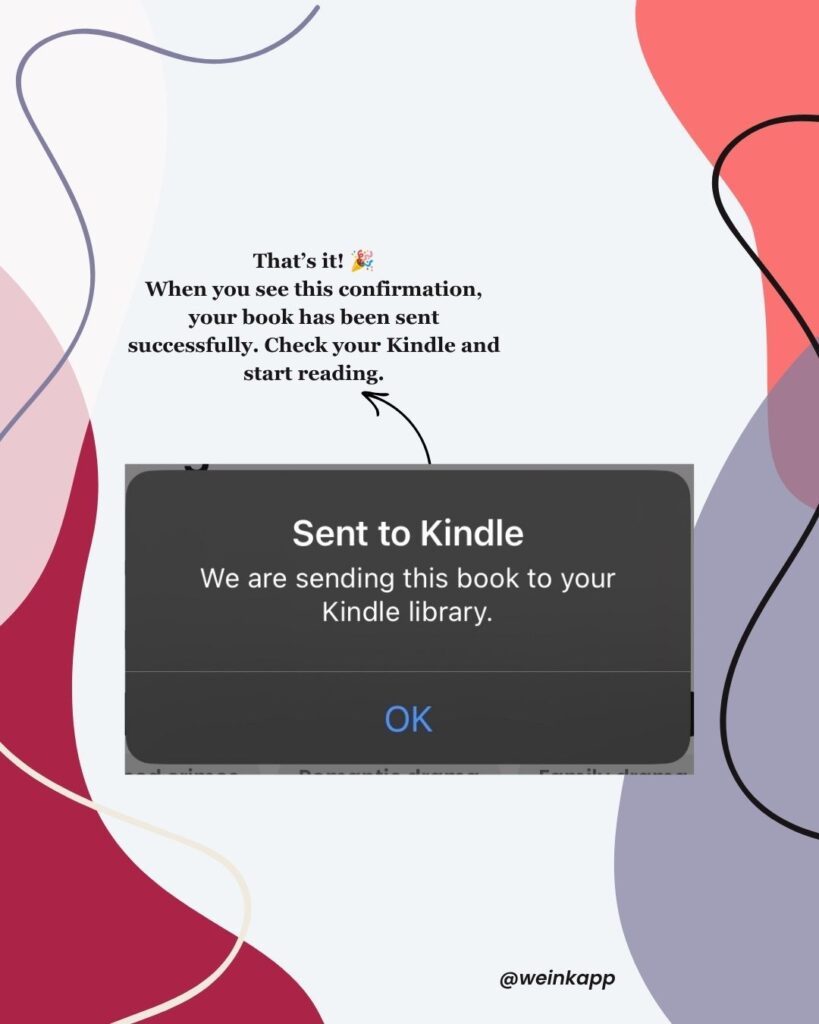
That’s it! Once you see the confirmation, check your Kindle library and your new read should be waiting for you. ✨
You only need to complete the Kindle setup once. After that, sending your next Weink book will be much quicker!
Where Can I Find My Kindle Email Address?
Your Send to Kindle email address will normally end in @kindle.com.
To find it, open your Amazon account and go to:
Manage Your Content and Devices → Preferences → Personal Document Settings → Send to Kindle Email Settings
You will also need to add sendtokindle@weink.app to your Approved Personal Document Email List. This gives Weink permission to send the book to your Kindle library.
How Many Books Can I Send?
With Weink+, you can send up to two books to your Kindle each month.
Already used your two monthly sends? You can still send more books for 1,500 Beans per additional book.
We have introduced this limit because our goal is to make books accessible while ensuring authors are fairly remunerated for their work. Every story takes time, creativity and care to write. Features like this should continue supporting the authors behind the books, not take value away from them.
Which Weink Books Can I Send?
Send to Kindle is available when the author has enabled the feature for their book.
If you do not see the option, it may simply mean that the author has not activated it yet. You can always leave them a comment or send them a friendly message to let them know you would love to read their book on Kindle! 😉
Send to Kindle Is Included With Weink+
To access Send to Kindle, you will need a Weink+ subscription. The monthly subscription costs about the same as a coffee and gives you an ad free reading experience alongside access to features like this one.
Even better, 65% of your subscription goes back to the authors you read. This means you can enjoy their stories on your favorite device while continuing to support the people who created them.
Your subscription improves your reading experience while helping indie authors earn from their work and continue writing the stories you love.
Ready to Read Weink Books on Your Kindle?
Choose a book, tap the three dots and send your next read directly to your Kindle. Your emotional support e-reader is about to get even more use! 📚✨